School Circle ERP
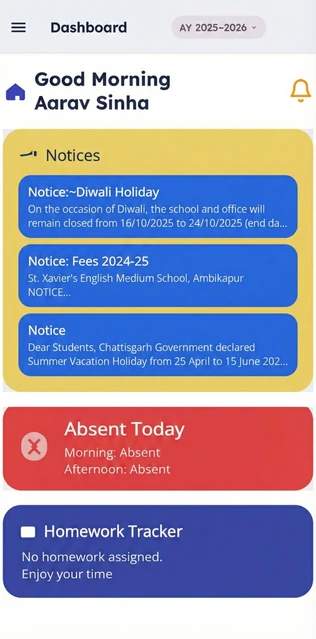
The official digital companion for St. Xavier's English Medium School. Experience a smarter way to manage your academic journey.
How to activate
After downloading the app, open it and enter the mobile number or credentials provided by the school. Complete the OTP or login step to start using the app.
Download the App: Install 'School Circle ERP' from the Google Play Store or Apple App Store onto your smartphone.
Step 2
Enter School Code: Open the app and enter the official school activation code provided by your class teacher.
Step 3
Verify Credentials: Log in using the registered mobile number. An OTP will be sent for secure verification.
Step 4
Access Dashboard: Once logged in, you can seamlessly navigate through homework, attendance, fees, and tracking modules.
